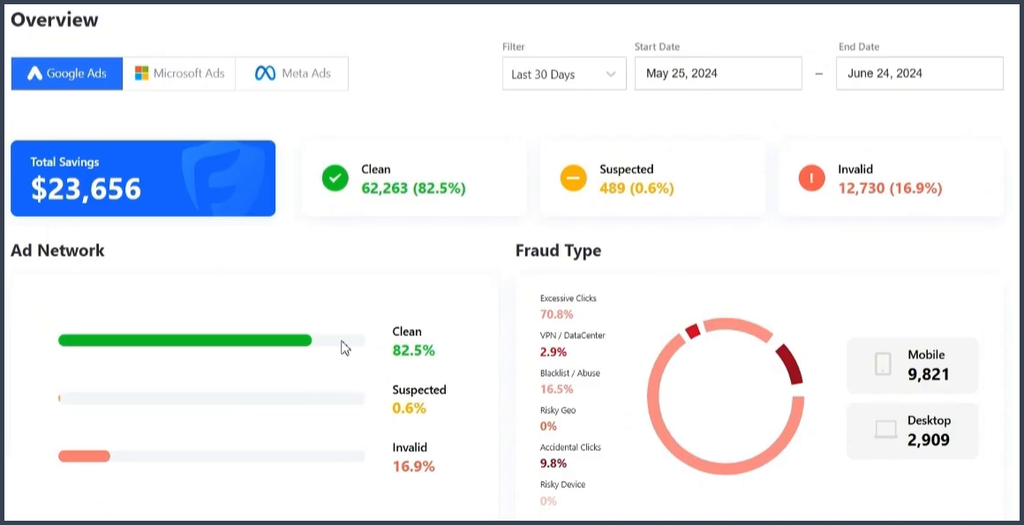
To stop click fraud in Google Ads, you need two layers of protection. Google filters most invalid clicks for you and credits you when it finds more later. You add the second layer: watch your invalid click data, block repeat offenders by IP address, tighten your targeting, and request an investigation when something looks wrong. Many advertisers also use a click fraud tool to block bad traffic around the clock.
In one example, a click fraud tool flagged 16.9% of the ad traffic across a group of accounts as invalid over 30 days. It estimated $23,656 in savings for that month. Numbers like that show why click fraud deserves a place on your monthly checklist.
In this guide, you will learn:
- What click fraud is and the two forms it takes
- How Google protects you and when it gives credits
- How to check your own account for invalid clicks
- How to block bad IP addresses
- Whether a click fraud tool is worth the cost
What is click fraud in Google Ads?
Click fraud is any click on your ad that does not come from a real person with real interest in what you sell. Google calls this invalid traffic. It comes in two forms.
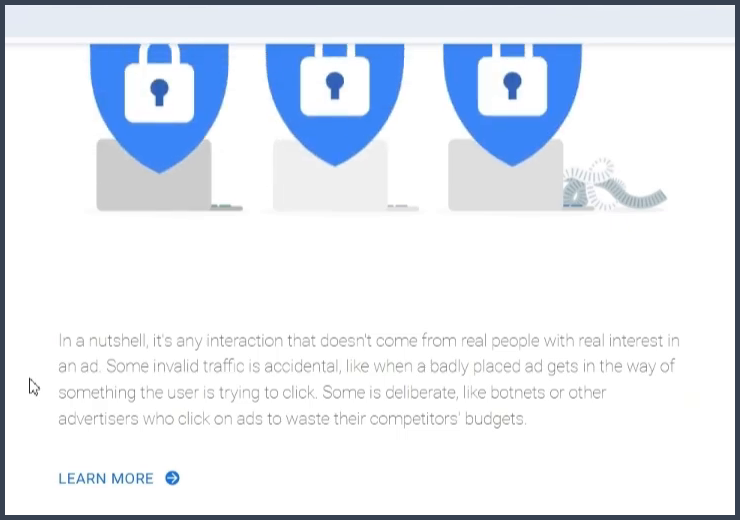
Google’s Ad Traffic Quality page puts it simply. Some invalid traffic is accidental, and some is deliberate.
Accidental clicks happen all the time. A person scrolls on their phone and taps an ad by mistake. A pop up shifts the page, and someone clicks your ad instead of the button they wanted. Google lists accidental clicks, such as a double click, in its definition of invalid clicks.
Deliberate clicks are the real problem. These come from:
- Bots. Automated programs built to click on ads.
- Click farms. Groups of low paid workers who click ads by hand.
- Competitors. A rival, or someone they pay, who clicks your ads to drain your budget.
- Bad publishers. Website owners who click ads on their own sites to earn more money.
Why click fraud costs you money
Google Ads is a pay per click platform. You pay for each click, so every fake click takes money out of your budget.
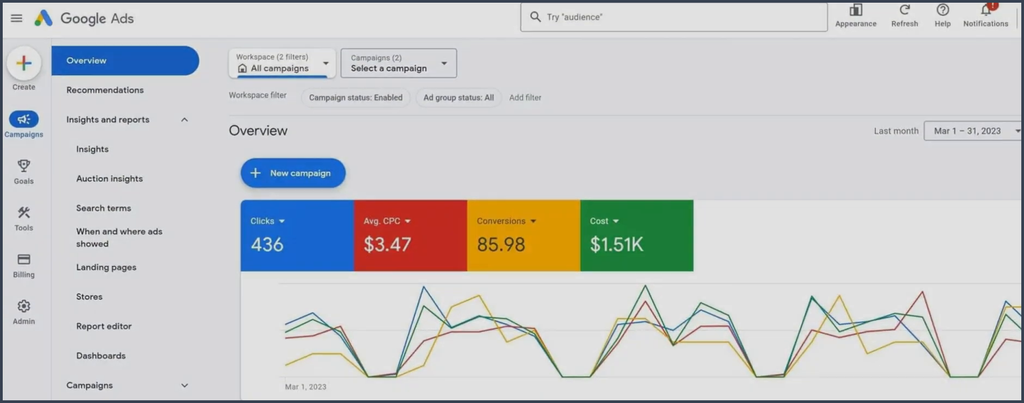
In this account, 436 clicks cost $1,510 in one month, at an average of $3.47 per click. If even 10% of those clicks were fake, that would waste about $150 a month in a small account. In a bigger account, the loss can run into thousands.
The damage goes beyond the wasted spend:
- Your data gets messy. Fake clicks lower your conversion rate and make good keywords look bad.
- Smart Bidding learns the wrong lessons. Google’s bidding may chase traffic that looks like the fake clicks.
- Your budget runs out early. Real buyers may never see your ad if bots spend the money first.
How Google protects you from invalid clicks
Google does a lot of work to stop click fraud before you pay for it. According to Google’s help page on invalid traffic, its systems check every click and filter out invalid ones in real time.
Google uses three main methods:
- Automated detection. Machine learning systems scan clicks for invalid patterns.
- Manual review. A team investigates unusual traffic and reports from advertisers.
- Research. Google studies new fraud sources to keep them out of its networks.
Filtered clicks and credits
Google handles invalid clicks in two ways, based on when it finds them:
| When Google finds the invalid click | What happens |
|---|---|
| Before your billing cycle ends | Google removes it from your bill and your campaign reports |
| After you have already been charged | Google issues a credit labeled “Invalid activity” |
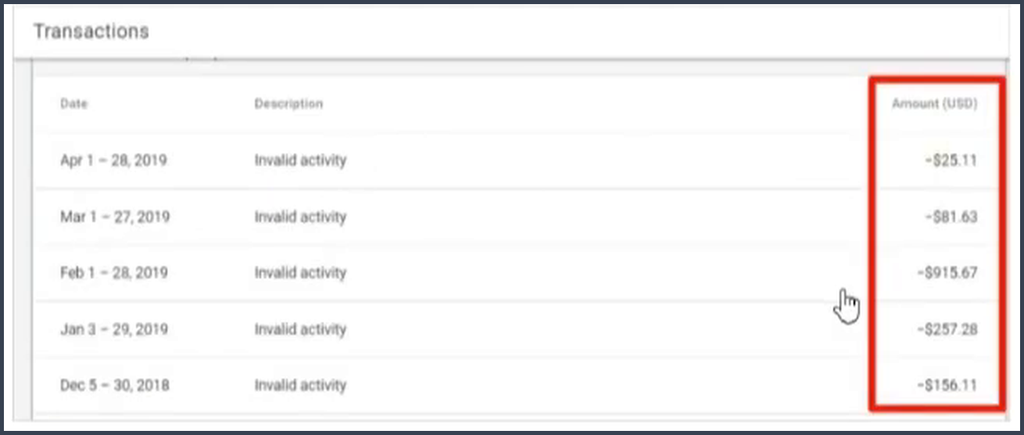
This billing history shows five monthly credits for invalid activity, ranging from about $25 to more than $900. You can find these credits in your own account under the billing section, labeled “Invalid activity.”
Google notes that these credits do not change your past campaign data. To see adjusted numbers, use the Invalid Activity Credit Report.
Google cannot catch everything
Google’s filters catch a lot, but no system catches every bad click. Fraudsters keep changing their methods, and some fake clicks look a lot like real ones.
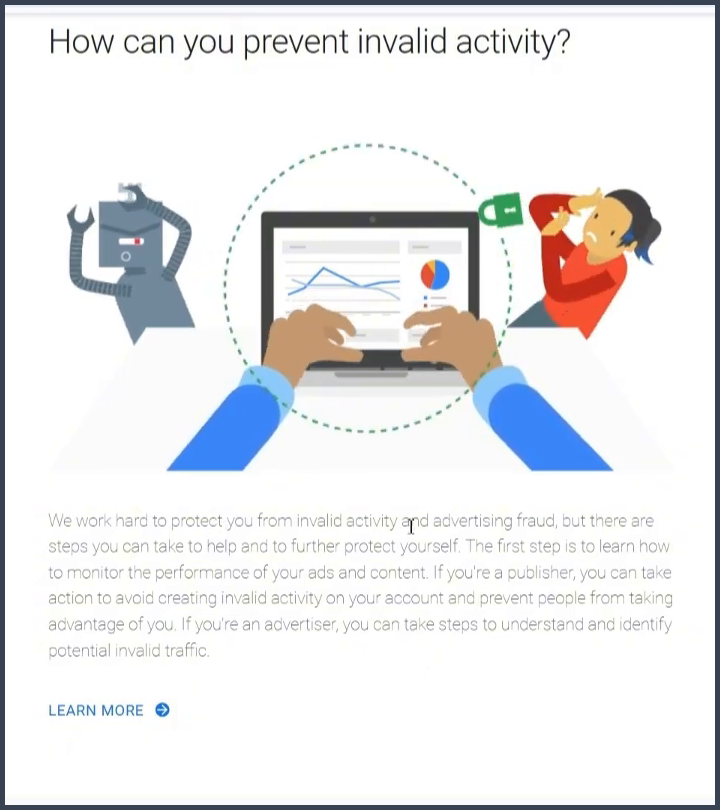
Google itself says there are steps you can take to further protect yourself. The first step, it says, is to learn how to monitor the performance of your ads. So treat click fraud as a shared job between you and Google.
How to check your account for click fraud
Start by adding the invalid click columns to your campaign reports. Follow these steps:
- Go to Campaigns in Google Ads.
- Click Columns, then Modify columns.
- Open the Performance section.
- Add Invalid clicks and Invalid click rate.
- Save the columns and set the date range to the last 30 days.
These columns show how many clicks Google filtered out. A steady, low rate is normal. A sudden jump tells you something changed.
Then look for these warning signs in your data:
- Clicks rise, but conversions do not. A spike in clicks with no change in leads or sales is a red flag.
- Very short visits. Analytics shows lots of ad visits that leave within a second or two.
- Odd locations. Clicks come from places you do not serve.
- Odd hours. Clicks pile up at 3 a.m. when your buyers are asleep.
- Repeat visitors. The same IP address or device clicks your ad again and again.
- Spam leads. Your forms fill up with fake names, fake numbers, or junk text.
How to block bad IP addresses in Google Ads
If you find an IP address that clicks your ads over and over, you can block it. Google lets you exclude IP addresses so your ads stop showing to them.
To exclude IP addresses at the campaign level:
- Open the campaign you want to protect.
- Go to Settings, then expand Additional settings.
- Click IP exclusions.
- Enter the IP addresses you want to block, one per line.
- Click Save.
Keep these limits in mind:
- 500 per campaign. Google lets you exclude up to 500 IP addresses in each campaign.
- Blocks of addresses. You can use an asterisk in place of the last part of an address to block a range.
- Not every campaign type. Campaign level IP exclusions do not work for Video, Hotel, App, Performance Max, or Smart Display campaigns.
- No guarantee. Google notes you may still see clicks from excluded IP addresses in some cases.
Click fraud tools use this same feature. They watch your traffic and add or remove IP blocks for you through the Google Ads API.
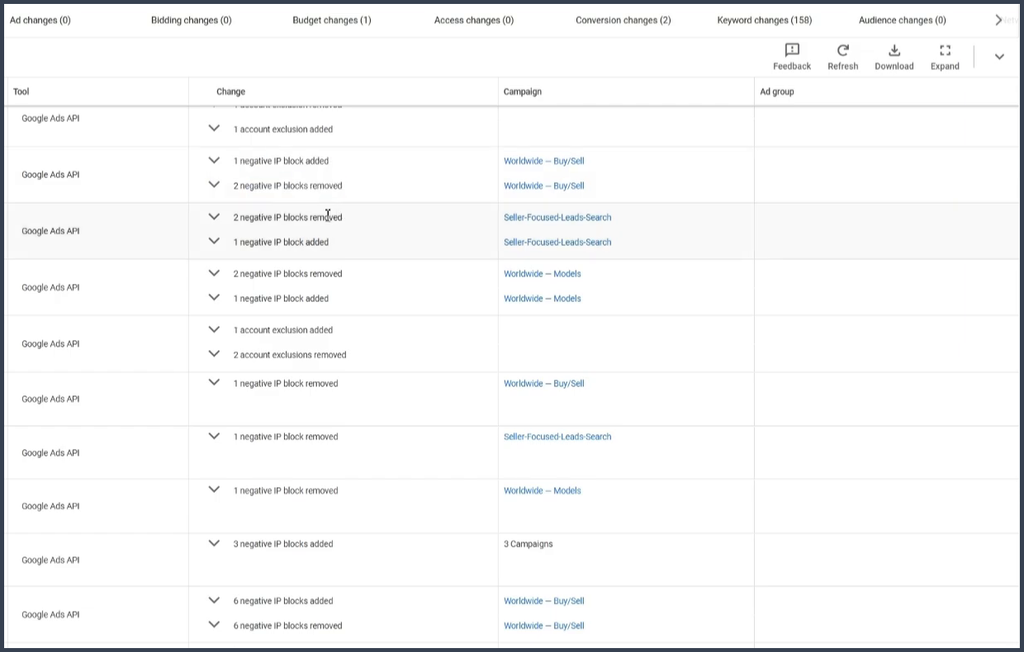
This change history shows a tool at work. It added and removed negative IP blocks across several campaigns, one change after another. That rotation matters, since a tool can keep the most active offenders blocked while it stays under the 500 address limit.
Tighten your targeting to reduce fake clicks
Blocking IP addresses only stops fraud you have already found. Better targeting stops a lot of it before it starts.
Try these settings:
- Target people in your area. In your location options, choose people in or regularly in your target locations, rather than people who show interest in them.
- Exclude locations you do not serve. This cuts out clicks from countries known for click farms if you do not sell there.
- Use an ad schedule. Run ads only during hours when your buyers are active, if your data supports it.
- Review the Display Network. Check where your ads appear, and exclude poor sites with placement exclusions.
- Test Search partners. If you see poor traffic from partner sites, compare results with Search partners turned off.
Each of these steps cuts the number of places a bot or click farm can reach your ad.
How to request a credit from Google
If you believe invalid clicks slipped past Google’s filters, you can ask Google to look into it. Google lets you request an investigation for activity in the last 60 days through its Click Quality Form.
Gather this information before you submit:
- Your 10 digit customer ID
- The exact date range you want reviewed
- The campaign and ad group names
- Any keywords that look suspicious
- Web server logs or analytics data that show the problem
A review usually takes several business days. If Google confirms invalid traffic, it issues a credit to your account. Keep in mind that Google decides what counts as invalid. A third party tool’s report helps your case, but it does not guarantee a credit.
Are click fraud tools worth it?
Click fraud tools, such as ClickCease and Fraud Blocker, sit between your ads and your website. They track each ad visit, score it for fraud, and block IP addresses that look suspicious.